Integrating Your Noteboards into Your Workflow
Bridging the Gap Between Inspiration and Action
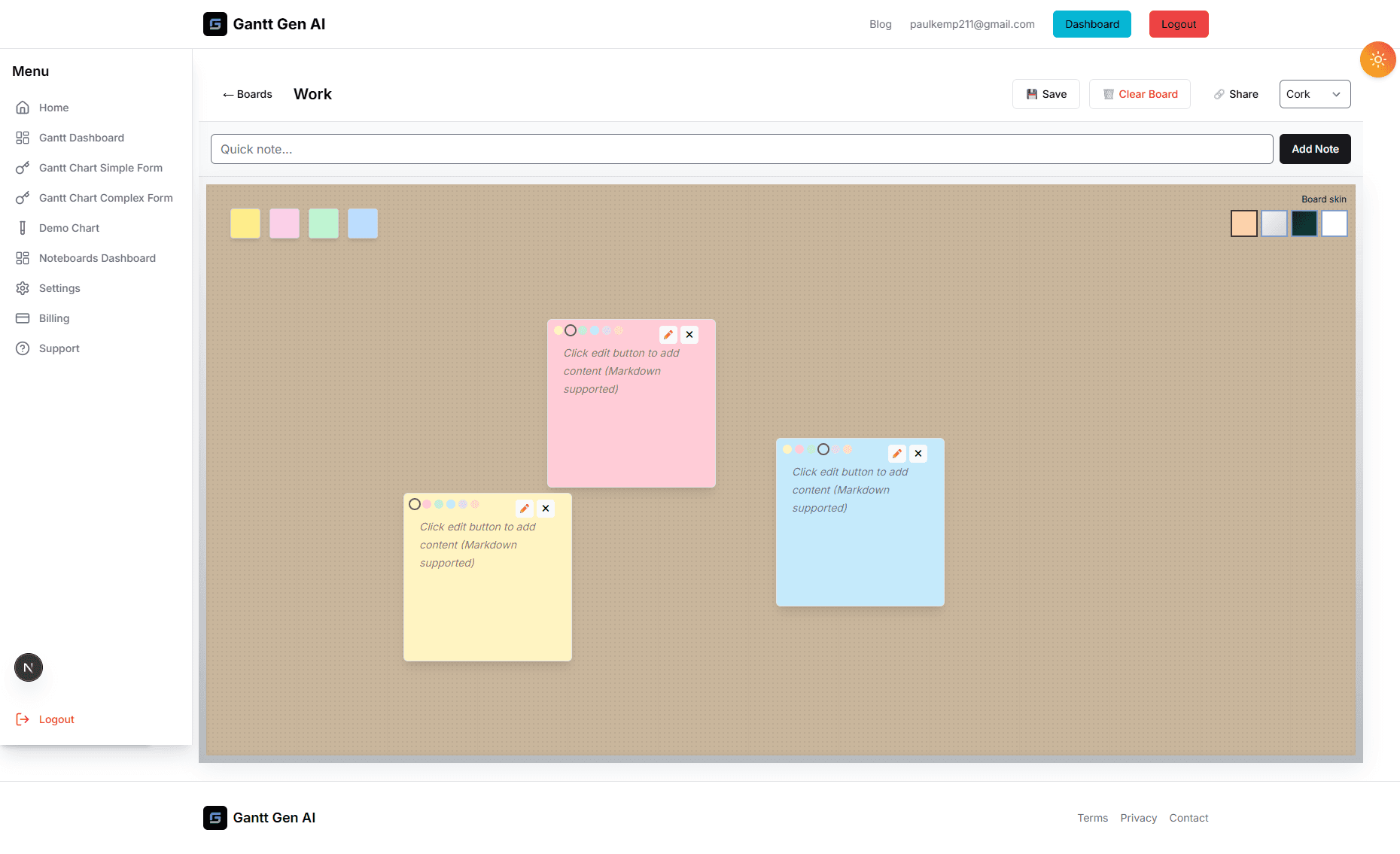
We've all been there: a high-energy brainstorming session yields a dozen brilliant ideas, but then a week later, only half of them have been discussed, and none have been implemented. This is the 'Brainstorming Black Hole', and it's where good projects go to die. The problem isn't a lack of creativity; it's a lack of integration. Our new Noteboards are designed to solve this by providing a direct pipeline from your raw ideas to your formal project plans. This post explores how to build a robust workflow that ensures your best ideas always reach the finish line.
Integration is more than just a technical feature; it's a mindset. It’s about seeing the connection between the messy first draft and the final polished product. By following a structured process for moving ideas from your Noteboard into your Gantt and Kanban views, you can maintain the creative momentum of your team while ensuring the discipline needed for execution. Here is our step-by-step guide to mastering this transition.
Step 1: The 'Cleanup' and 'Curation' Phase
Not every note on a brainstorming board is a winner, and that’s okay! The whole point of a Noteboard is to have a low barrier to entry. However, before you can integrate these ideas into a formal workflow, you need to curate them. Set aside 30 minutes at the end of a brainstorming cycle to review the board. Ask the tough questions: Is this idea feasible? Does it align with our core objectives? Is it a 'must-have' or a 'nice-to-have'?
Use visual markers to identify the winners. You might use a specific color for 'Approved Ideas' or a star icon to denote high priority. Archive the notes that aren't going forward—don't delete them, as they might be useful for a future project, but get them out of the way so you can focus on the tasks at hand. This 'signal-to-noise' refinement is the first step in turning a brainstorm into a roadmap.
Step 2: Affinity Mapping and Clustering
Once you have your curated list of ideas, start grouping them. This is often called 'Affinity Mapping'. Move related notes together to form clusters. You'll quickly see that your scattered thoughts naturally fall into 3-5 major themes. For a website redesign, these might be 'Visual Identity', 'Navigation', 'Content Strategy', and 'Technical Infrastructure'.
These clusters are incredibly important because they define the 'architecture' of your project. In the Gantt world, these clusters become your 'Summary Tasks' or 'Milestones'. By doing this work in the Noteboard, you're essentially building the skeleton of your project plan without the pressure of deadlines and dependencies. It’s a much more intuitive way to organize complex information than trying to build a list from scratch.
Step 3: Defining the 'Minimum Viable Task'
The biggest mistake in integration is trying to turn a vague note like 'Improve UX' directly into a task. That's not a task; it's a goal. Before you move an idea to your Kanban or Gantt view, you need to define the 'Minimum Viable Task' (MVT). What is the very first, concrete step that needs to happen to make this idea a reality? Maybe it's 'Audit current checkout flow' or 'Create three wireframe options for the homepage'.
By breaking your high-level notes into specific, actionable MVTs, you make the work feel manageable and reduce the 'procrastination friction' that often stalls new initiatives. Each MVT should have a clear definition of 'Done' so that when it appears on your Kanban board, the assigned team member knows exactly what they need to achieve. This is the moment where an 'Idea' truly becomes 'Work'.
Step 4: The Seamless Handover
Now comes the technical part. Our platform allows you to view your Noteboard and your Project Schedule in tandem. As you identify a note that is ready for execution, you can create a corresponding task in your Gantt chart or a card on your Kanban board. Because the systems are linked, you can even include a link back to the original Noteboard section in the task description, giving the assignee the full context of the original brainstorming session.
This 'Context Persistence' is a massive productivity booster. Nothing is more frustrating for a developer or designer than being assigned a task and not understanding the 'Why' behind it. By linking your notes to your tasks, you ensure that the original inspiration—the 'soul' of the project—is preserved through every stage of the execution. It keeps the team aligned and motivated.
Continuous Feedback Loops
The relationship between Noteboards and execution isn't a one-way street. As you work on tasks in your Kanban board, you'll inevitably run into new questions or ideas. Don't let those get lost! Jump back to the Noteboard and add a 'Lessons Learned' or 'New Ideas' section. This creates a continuous feedback loop where your execution informs your future planning. By mastering this integration, you aren't just finishing a project; you're building a smarter, more iterative way of working that will benefit every project that follows.