The Power of Visual Note-Taking for Project Planning
Unlock Your Team's Creativity
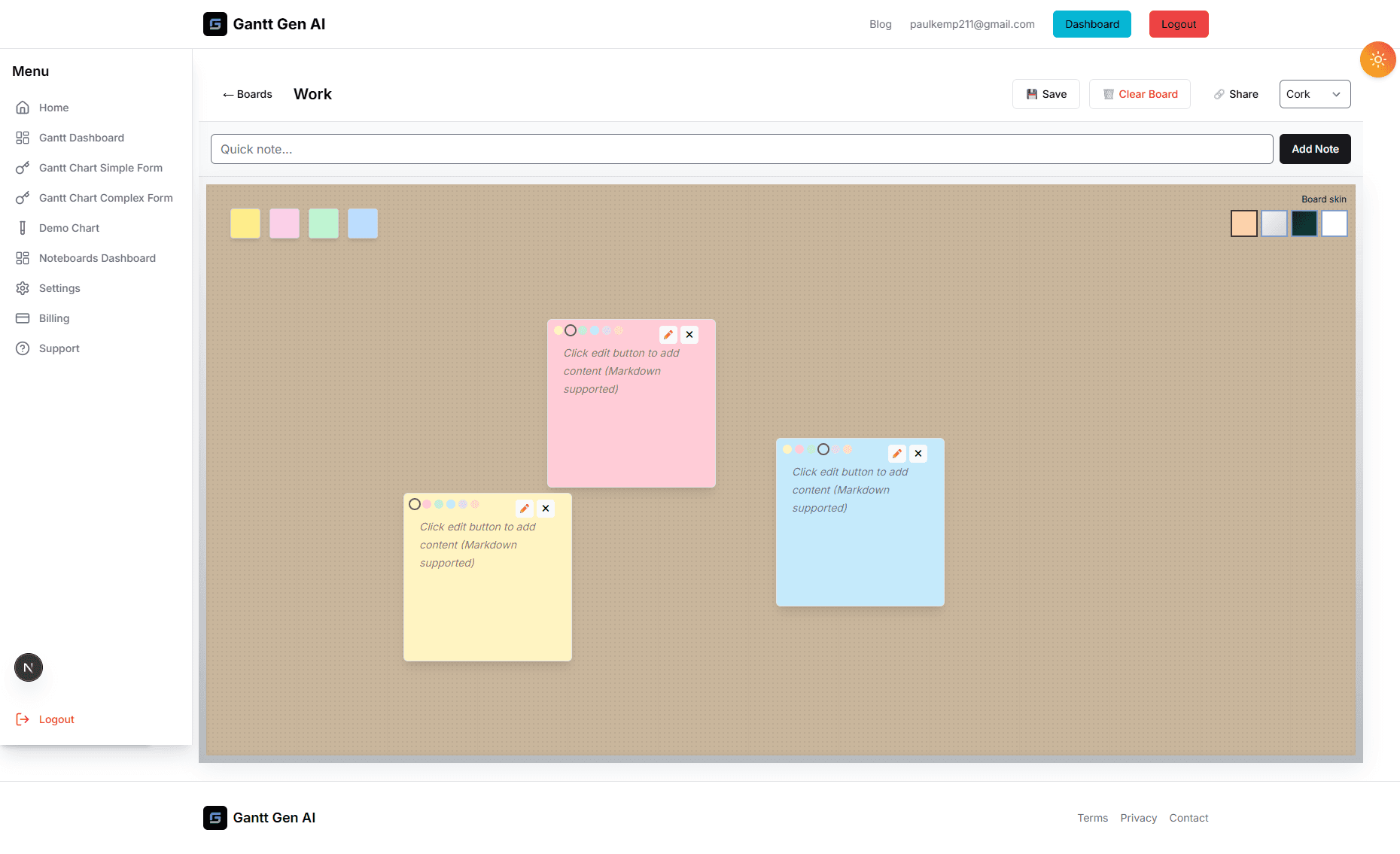
Before the first task is assigned and the first deadline is set, there is the 'Idea' phase. It's often the most exciting part of a project, but also the most chaotic. Traditionally, this phase involves scattered emails, messy notebooks, and whiteboard sessions that get erased at the end of the day. Our new Noteboards are designed to change that, providing a permanent, digital home for the creative spark that drives every successful project.
Visual note-taking is more than just a trend; it's a cognitive strategy that leverages how our brains naturally process information. Research shows that we process visual data 60,000 times faster than text. By mapping out your thoughts on a visual board, you're not just recording information; you're facilitating deeper understanding and more innovative problem-solving. This post explores why visual note-taking is such a game-changer for project planning and how you can use Noteboards to build a better foundation for your work.
Why Go Visual? The Science of Ideation
When we write in a linear document, we are forced into a specific sequence. But our thoughts are rarely linear. We think in associations, connections, and leaps of logic. A Noteboard allows your planning to reflect this natural cognitive flow. You can place a core idea in the center and build out related concepts around it, creating a 'mind map' of your project's scope. This spatial organization helps you see the 'big picture' and the fine details simultaneously.
Furthermore, visual boards encourage 'divergent thinking'—the ability to generate many different solutions to a problem. Because it’s so easy to add, move, and delete notes, there is a lower barrier to entry for sharing ideas. Team members who might be hesitant to speak up in a formal meeting often feel more comfortable contributing to a shared Noteboard. It levels the playing field and ensures that the best ideas rise to the top, regardless of who they came from.
The Transition from Chaos to Clarity
One of the biggest challenges in project management is the 'Translation Gap'—the distance between the high-level vision and the granular tasks. Noteboards bridge this gap by serving as a synthesis layer. You can start with a completely 'unstructured' board, dumping every requirement, concern, and inspiration you have. Over time, you can begin to cluster these notes, identifying themes and categories.
This process of 'affinity mapping' is incredibly powerful. You might realize that five different notes all relate to 'User Experience', while three others are about 'Backend Security'. These clusters then naturally become the 'Epics' or 'Milestones' in your Gantt chart. By the time you start building your formal schedule, you already have a deep understanding of the project's architecture because you've visualized it from the ground up.
Best Practices for Effective Noteboards
To get the most out of your Noteboards, it helps to have a few strategies in place. Here are our top recommendations for facilitating a high-energy, productive brainstorming session:
- The 'Brain Dump' Phase: Start every new project with 15 minutes of pure, uninhibited note-adding. Don't worry about organization or quality yet. Just get the ideas out.
- Color-Coding for Context: Assign specific meanings to note colors. For example, yellow for 'Features', blue for 'Questions/Risks', and green for 'Resources/Links'. This adds an immediate layer of visual organization.
- Use Images and Icons: Don't limit yourself to text. A Noteboard can host images, screenshots, and icons. This is vital for design-focused projects where 'look and feel' are as important as functionality.
- Embrace the Infinite Canvas: Don't feel constrained by space. If a board is getting too crowded, move a cluster of related ideas to its own section or even a new board.
- The 'Curation' Phase: Once the brainstorming is over, take the time to clean up. Archive ideas that aren't feasible and highlight the ones that are critical. This ensures the board remains a useful reference throughout the project.
Collaboration in the Hybrid World
In today's hybrid and remote work environments, the digital Noteboard is the new water cooler. It’s where the team gathers to think out loud. Because our Noteboards are real-time, you can see your colleagues adding and moving notes as you watch. It creates a sense of 'shared presence' that is often missing from remote work. It’s not just about the output; it’s about the process of thinking together.
By integrating Noteboards into your daily routine, you're not just being more organized; you're building a more creative and collaborative culture. You're giving your team the space they need to innovate and the tools they need to turn those innovations into reality. We invite you to start your next project on a Noteboard and see the difference it makes.