Project Management Best Practices That Survive Contact With Reality
Most best-practice lists are written from the perspective of a project that went well. They describe what a successful project looked like in hindsight and present it as a method. The problem is that almost every practice on those lists is easy while things are going fine, and the ones that matter are the ones you can still execute in week seven when the schedule has slipped and someone has quit.
What follows is the shorter list: practices that earn their place specifically because they hold up under pressure, along with a few pieces of conventional advice we think are actively unhelpful.
1. Write the plan down, then keep it current
The first half is uncontroversial. The second half is where projects fail. A plan written at kick-off and never updated is not a plan, it is a historical document — and a dangerous one, because it retains the authority of a plan while no longer describing reality.
The practical test is whether you would be comfortable making a decision from the plan without checking with anyone. If the honest answer is no, the plan is decoration. The fix is usually not more discipline; it is reducing the cost of an update until keeping it current is easier than not.
2. Model dependencies, not just tasks
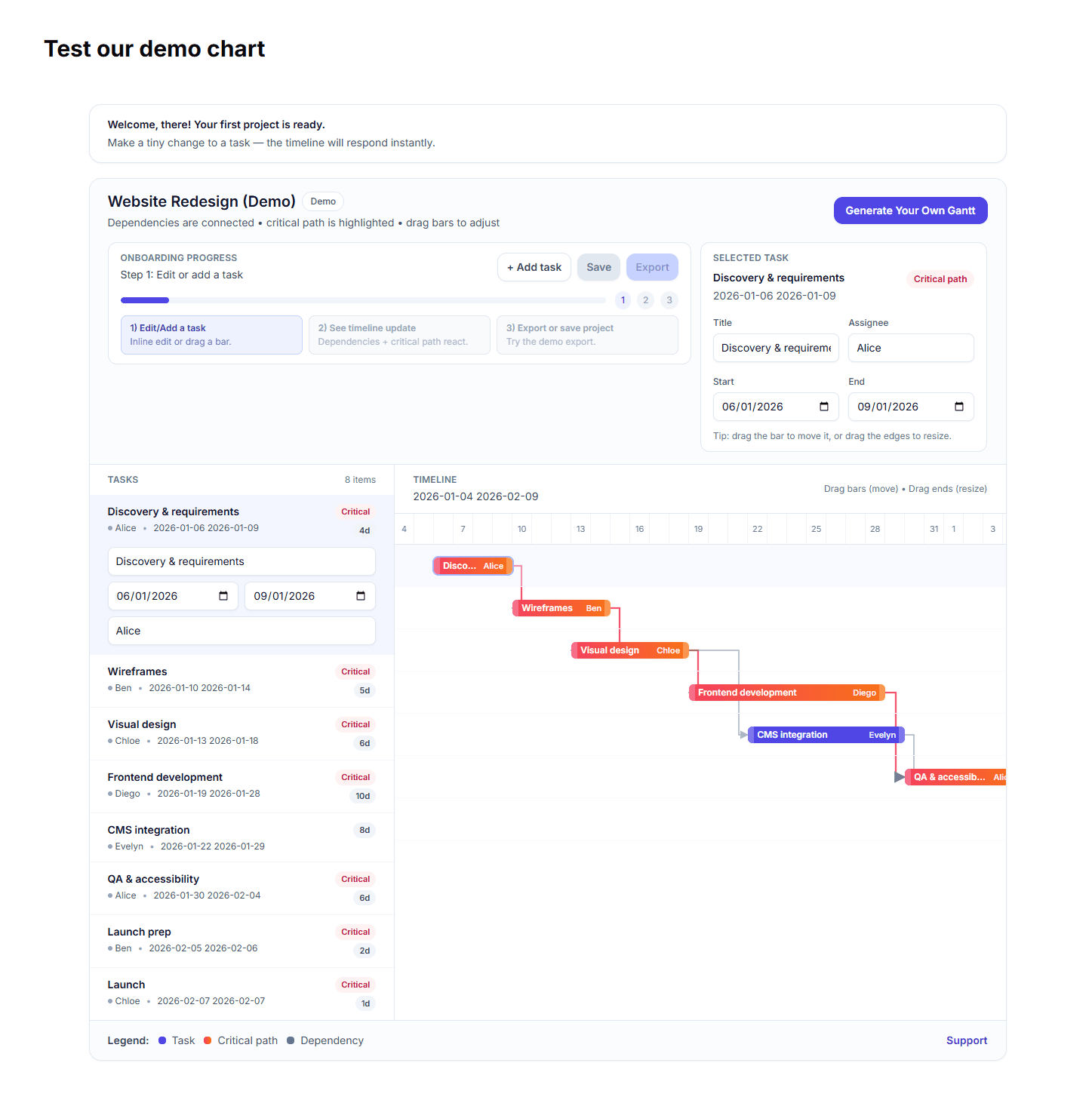
A task list tells you what has to happen. It does not tell you what happens if one item takes three days longer. Encoding dependencies is what turns a list into something that can answer questions.
This is the difference between "we're behind on the API work" and "we're behind on the API work, which is on the critical path, so launch moves by four days." Only the second is actionable, and it is only available if the ordering constraints exist somewhere other than in someone's head. Our Gantt chart guide covers the four dependency types and which two actually matter.
3. Estimate in ranges, commit to one number
Single-point estimates are dishonest, and everyone knows it. Ranges are honest but useless to a stakeholder trying to plan around you. The workable compromise is to estimate in ranges internally, then commit externally to a number near the pessimistic end and treat the gap as buffer you own.
The failure mode to avoid is committing to the optimistic end and calling the difference "stretch". That converts every ordinary variance into a visible failure, which teaches the team to pad estimates secretly, which destroys the information content of estimates entirely.
4. Put the buffer in one place, visibly
Buffer distributed across every task disappears — work expands to fill it, and you cannot tell how much you have left. A single explicit buffer at the end of a phase is measurable. When it shrinks, that is a signal. When per-task padding shrinks, nobody notices until it is gone.
5. Make the critical path visible to everyone, not just the manager
People make better local decisions when they know whether their task is on the critical path. An engineer who knows their work is the constraint will flag a blocker in an hour rather than working around it for a day. An engineer who does not know will do the reasonable thing and quietly absorb the problem.
6. Review scope changes against the end date, every time
Scope creep rarely arrives as a big request. It arrives as a series of small ones, each individually reasonable, none of which is ever evaluated against the deadline. The discipline is not saying no — it is answering every addition with what it costs in days, and letting whoever is asking decide with that information in hand.
7. Report changes, not activity
Status reports built from lists of completed work are effort theatre. What a stakeholder needs is what changed, what it means for the date, and what you need from them. We wrote about this at length in project reporting clients actually read.
8. Run a real retrospective, and change exactly one thing
Retrospectives fail when they produce a list of twelve improvements, none of which is implemented. Pick one. Change it. Check at the next retro whether it worked. A team that genuinely changes one thing per cycle improves faster than one that identifies twelve and changes none.
9. Decide who decides, before you need to
Most project delays that get attributed to technical problems are actually decision latency. Someone needed an answer, no one was clearly responsible for giving it, and four days passed. Naming a decision-maker per area at the start costs ten minutes and routinely saves a week.
Three pieces of common advice we would skip
- "Over-communicate." Volume is not the variable. A daily update nobody reads is worse than a weekly one everybody does, because it trains people to ignore your messages.
- "Fail fast." Fine for experiments, actively harmful applied to delivery projects with dependencies — where failing fast on a foundational component means everything downstream fails slowly.
- "The plan is worthless, planning is everything." A comfortable aphorism that gets used to justify never writing anything down. The planning is indeed where the thinking happens, but the artefact is what lets everyone else act on that thinking without you in the room.
The through-line
Almost every practice above reduces to the same idea: make the consequences of a change visible, quickly, to the people who can act on them. A plan that encodes dependencies does this. A buffer in one place does this. Naming decision-makers does this. Reporting changes rather than activity does this.
Projects rarely fail because someone did not work hard enough. They fail because a consequence was invisible until it was expensive.